Whether you are attending classes, completing your assignments, studying for a quiz, project work, extra-curricular activities, or squeezing some time for friends and family. You’d agree that organizing and planning goes a long way. That’s why a homework organizer or a homework planner app can be a lifesaver to keep track of all your assignments, tests, submission deadlines, and exams. I did the research and shortlisted the perfect homework planner apps for Android and iOS. Let’s check those out.
Read: Best Notes App for Windows to Increase Productivity
Homework Planner Apps for Students
1. Student Planner- Homework Agenda & Notes
The first app on the list is a simple homework and notes management app. It keeps track of homework, assignments, projects, and to-do lists. The layout is minimal, all the tasks are neatly organized with a colored bookmark for easy identification. You can mark a task complete and remove it from the pending list.
Courses can be added easily and color-coded as well. The calendar shows any upcoming deadlines so you can prioritize accordingly. The tasks have a progress bar that you can adjust as you make progress which enables you to get a quick summary without actually opening every task.
You can also break your assignments in small chunks as subtasks that would make finishing a task much easier and the progress bar will fill automatically. It also allows you to attach media files to your assignments or projects for easy access to the important information in one place.

Pros
- Progress bar
- Subtasks
- Deadline Reminders
- Calendar View
Cons
- No option to sync data to the cloud
Student Planner is a great app for all the students, it has all the necessary features like Deadline reminders, subtasks, progress bar, color-coded tasks, and courses. It can significantly increase your productivity when used regularly. You can get this app for free in the Play Store.
Install Student Planner- Homework Agenda (Android)
2. Student Planner
Student Planner is another fast and simple homework management app which is wrapped by a beautiful and intuitive material designed UI. What Student Planner adds to the table is the inclusion of a schedule or time table which you can use to either store your class schedule or it might even be a study schedule for your exams.
You first start by adding your subject and the schedule then you can add an assignment or set a reminder. The due assignments are arranged as separate cards and can be swiped away once done with.

Pros
- Simple and easy to get started with
- Fast and small in size
- Beautiful Minimal UI
- Option for Schedule
Cons
- No sync/backup
- Timetable implementation not perfect
I would recommend this app to anyone who is looking for a simple homework management app with timetable support and a minimal UI.
Install Student Planner (Android)
3. Egenda
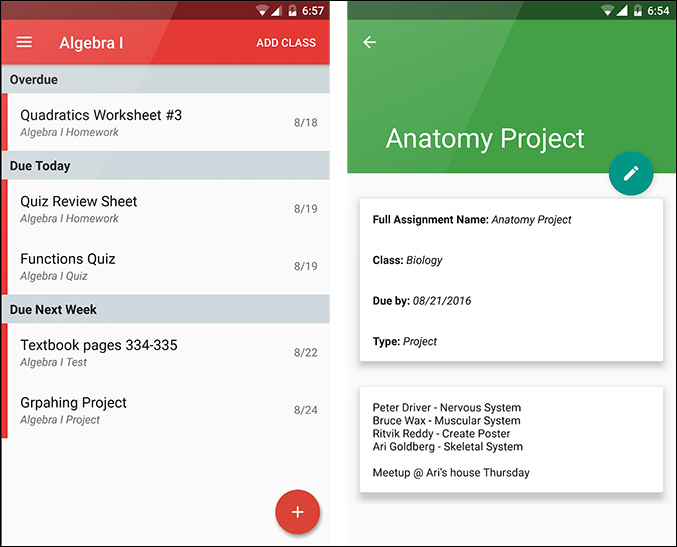
Egenda is simple. Open the app, add all the classes or subjects to the app, and once that is set up, you have the option of adding a new Homework, Quiz, Project, or Test and choose the respective subject deadlines. The app also arranges the due work in cards that can be swiped away when done. But what I love the most about this app is that the fact it allows you to go subject-wise and view all your upcoming tests, projects, or pending assignments which is a huge convenience for planning your schedule ahead of time instead of the previous day.
Unfortunately, the app doesn’t have a timetable option, but in its latest update, it added a Calendar View where you can see your whole month at a glance with your assignments, tests, and projects.
Pros
- Subject-wise sorting
- Calendar View
Cons
- No timetable support
- No sync/backup
Egenda provides some great tools for Homework and Test planning and I am sure anyone would find them extremely convenient and useful. But keeping its single con in mind, go for this app if you are not too keen on having a schedule or timetable.
Install Egenda (Android | iOS)
4. ChalkBoard
The next app on our list is ChalkBoard, which I found out to be a pretty smart homework planner app. Chalkboard strikes a perfect balance between simplicity and features.
Although the setup process is a little longer than the previous three apps, as you have to feed meticulous details about the classes, teacher, and schedule. It is worth the effort.
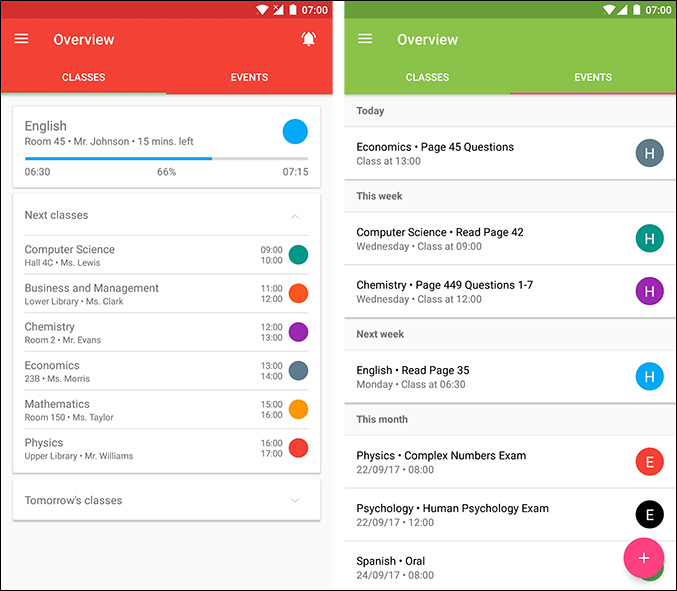
On the home screen, you are shown upcoming classes, events tab, and upcoming tests. ChalkBoard fetches the dates for every subject from the Timetable for your future classes. Little features like these make the app stand out from the rest and give an overall great experience. You can also view classes and assignments subject wise.
Pros
- Proper Timetable
- Ability to add teachers for subjects
- View tomorrow’s classes as well as assignments/tests/quizzes
- Smart features
Cons
- Little longer to set up
- No calendar view
If you are looking for a homework planner as well as a school planner, Chalkboard is the app as it strikes a great ground with almost all the features one might need while not being too bulky.
Install ChalkBoard (Android)
5. School Planner
School Planner is a full-fledged planning application designed for students to manage their career as a student. Along with your homework and timetables, School Planner offers you to keep track of your grades and attendance, add contacts for teachers, add recorded lectures, and even multiple planners.
The app supports backing up of all your data via Google Drive, Calendar View along with a weekly report, attaching snapshots to your assignment reminders, student accounts from ClassViva, and a lot more. In spite of so many features, the app doesn’t feel slow at all and delivers a powerful performance with its beautiful design.

Pros
- Full-fledged student companion
- Feature-packed and free
- Supports sync and backup
- Widget Support
Cons
- Tedious setup procedure
- Big in size
- Complex, not so smooth learning curve
While it is not for someone who is looking for a fast and easy way into homework management, School Planner is a great student companion app and serious students will surely get the most out of hit.
Install School Planner (Android)
6. My Study Life
My Study Life comes with its own web app and syncs with the Android app, essentially making your data accessible from any device as long as it has a browser.
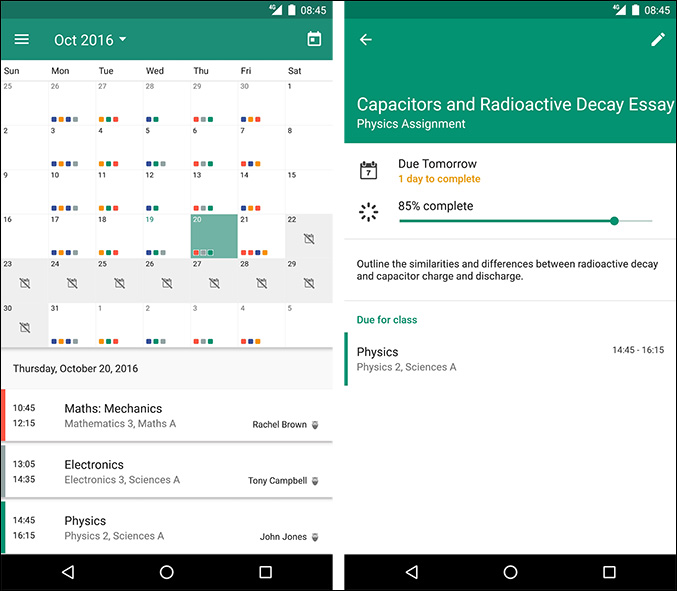
It implements a goal-centric circular tracker that shows your progress. The Calendar view combines your timetable, deadlines, and shows all your classes and assignments, projects in a single place.
Pros
- Refreshingly new UI
- Access from anywhere through its web app
- Sync and Backup
Cons
- Lengthy setup process
If you study from your computer or laptop, My Study Life makes it easy to access your homework planner on your phone from your computer, while not compromising on features and being completely free. What more can you ask for?
Install My Study Life (Android | iOS)
7. iStudiez Pro
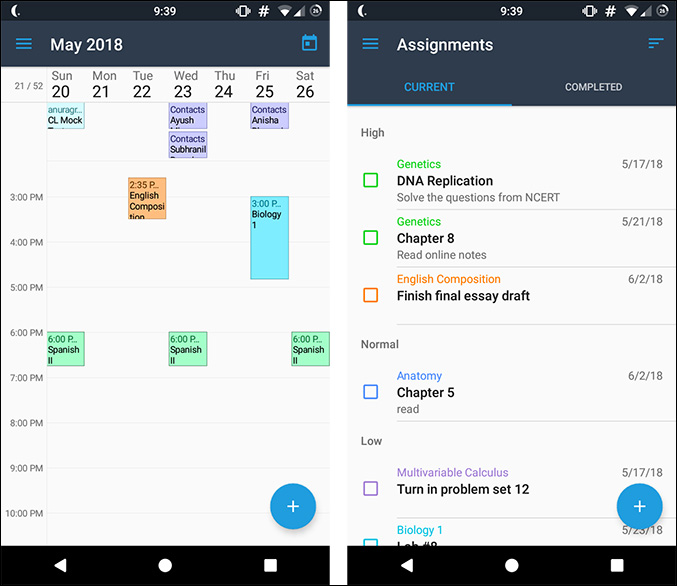
Like School Planner, iStudiez Pro includes grading and subject wise organization of tasks. iStudiez Pro takes it further with the integration of Google Calendar that allows you to directly get all your holidays, exam schedule, routine from Google Calendar itself.
It also offers separate apps on all platforms including iOS, Mac, and Windows. All the apps sync seamlessly between themselves, so studying on your computer consulting your planner won’t be an issue.
Pros
- Google Calendar Integration
- Cross-Platform
- Sync and Backup
Cons
- Cumulative Price
If Google Calendar integration and cross-platform support is a must for you, iStudiez Pro is definitely the app you want.
Install iStudiez Pro (Android | iOS)
Homework Planner Apps for Students
So this was our roundup of the best homework planner apps for Android. We genuinely think that there is an app for every need and we hope that you found a Homework Planner that suits your need whether you are a high school student or a college senior. So which one was your favorite or did we forget to add yours? Let us know in the comments below.
Also Read: Take a Picture of Handwriting And Convert to Text – Android Apps
