If you don’t already know, the only browsers that support 1080p playback on Netflix are Safari on macOS and Internet Explorer or Edge on Windows. If you use Chrome, Firefox, or any other browser, all you get is 720p on Netflix. There is no option to improve the quality to 1080p, even though you are paying for it.
Read: 3 Free VPN to Unblock Netflix Geo Restriction
Here is the complete list of maximum resolution each browser –
Google Chrome: up to 720p
Firefox: up to 720p
Opera: up to 720p
Safari: up to 1080p
Microsoft Edge: up to 1080p
Internet Explorer: up to 1080p
Enter Netflix 1080p, a new browser extension for Google Chrome and Firefox, that will enable support for 1080p on Netflix. Sounds Cool? Let’s see how to set it up.
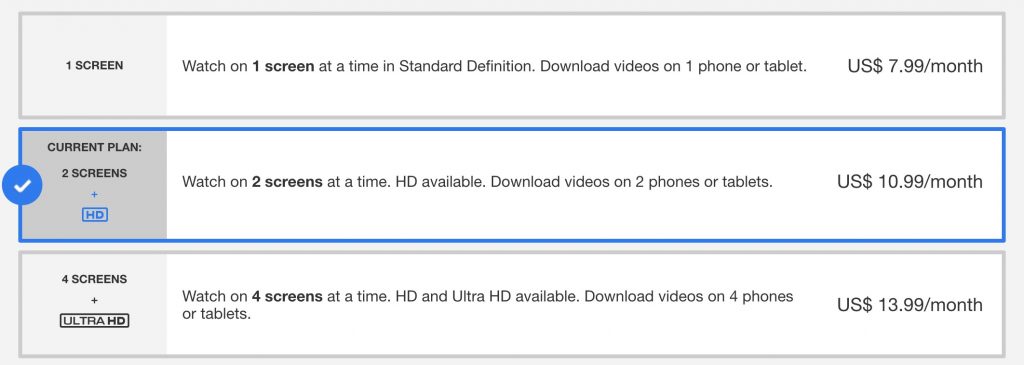
Before we get started, make sure you are using standard or premium plan on Netflix. The basic plan only supports standard definition. So, make sure you upgrade if you are on it.
Next, on your chrome browser, go to Netflix and search for the Netflix test pattern. It’s a video, that gives you a real-time representation of resolution and native frame rate of Netflix. Play the video for few seconds, you’ll notice at top right, the maximum resolution goes to 720p. You can further check the quality of the stream with the shortcut Ctrl-Shift-Alt-S.
If the bitrate is around 3000 Kb/s, it means it’s 720p and if the bitrate ~ 4300 or 5800 — it means 1080p video.

So, let’s fix it. Install Netflix 1080p extension (link below).

The extension works, as you install it, however, you might have to clear your browser cache first. Simply click on 3 vertical dots in the upper-right corner of the Chrome window, choose “More Tools” > “Clear browsing data”.

Now, refresh the test pattern video, change the stream quality by pressing Ctrl-Shift-Alt-S. And you should see the option to set the bitrate to 4300 Kbps or 5800 Kbps for 1080p.

So, there you go, now you can play Netflix in 1080p. Some videos don’t support 1080p playback, but, most of the videos do, so no worries there.
Download Netflix 1080 (Chrome | Firefox)
Read: How to add IMDB and Rotten Tomatoes Ratings on Netflix
