Published: October 22, 2026

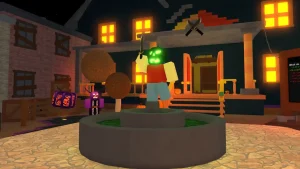
Roblox is gearing up for Halloween with a Plus-exclusive Hollow Theme for its users. When applied, the theme turns everything crimson red, along with a background featuring a large claw. Even the mobile icon changes to match the theme. If you're a Roblox Plus subscriber and don't know how to apply the theme, worry not. In this article, we go over how to unlock and apply the Roblox Hollow Theme as a Plus subscriber.
How to Apply the Roblox Hollow Theme on PC
The Hollow Theme is exclusive to Roblox Plus subscribers. If you don't have access to it, you must subscribe to Roblox Plus to unlock the theme. Once you have a Roblox Plus subscription, follow these steps to unlock and apply the Hollow Theme in Roblox on your PC:
- Open Roblox on your PC or visit the Roblox website in your browser and log in to your account.
- Click the three-line menu icon in the top-left corner to open the sidebar.
- Select Settings from the sidebar menu.
- Select Device Preferences in the Settings menu.
- Scroll down to the App Theme section.
- Select Special from the available theme categories.
- Choose The Hollow to apply the theme to your Roblox interface.


Also Read:
Applying the Roblox Hollow Theme on Mobile and Console
The steps to apply the Roblox Plus Hollow Theme on mobile and console are the same as on PC. However, make sure to update your application to the latest version. Your Roblox Plus subscription also carries over to mobile and console, provided you're logged in to the same account. That being said, the process to apply the Hollow Theme remains the same:
- Open Settings > Select Device Preferences > Access the App Theme section > Select Special > Choose The Hollow
How To Get the Roblox Hollow Theme for Free
As of now, there is no way to get the Hollow Theme permanently for free without a Roblox Plus subscription. However, you can take advantage of the free one-week trial to access the theme without paying during the trial period. The Hollow Theme is an exclusive early-access feature available to Plus subscribers.
The subscription costs $4.99 per month and rewards you with 500 Robux every month. You can also choose a higher tier for better rewards. Even the lowest tier includes access to special themes, including the Classic and Hollow themes.
If you only want to try the Hollow Theme, you can use the free trial for one week, provided you're eligible. Remember to check the trial's renewal terms and cancel before it ends if you don't want to be charged.

That is how you apply the Roblox Hollow Theme with a Plus subscription. Stay tuned for more Roblox Hollow guides!
FAQs
The Hollow Theme is a limited-edition UI theme created for Roblox's platform-wide Halloween event.
No, the Hollow Theme is an exclusive benefit for Roblox Plus subscribers.
Yes, the Hollow Theme will remain permanently in the Special Themes section. You can switch back to the default theme or select another theme whenever you get bored.