Updated: June 12, 2019

How to detect Photoshop Fake
1. Look for Signs of Image Compression
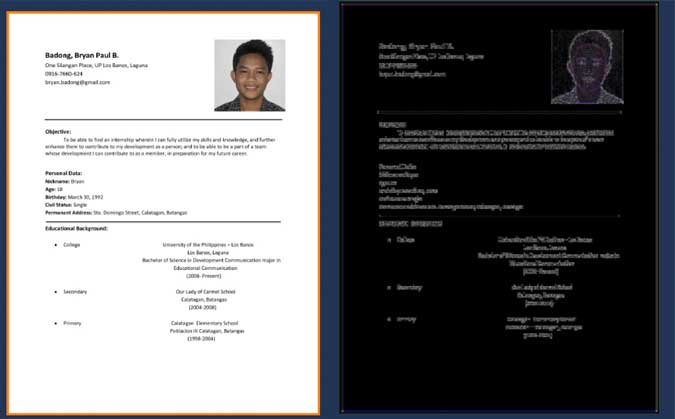
This trick is best suited to detect fake documents. When in doubt whether the document is manipulated or not, you can take help of an online tool called FotoForensics. Start by uploading the picture you suspect is doctorated and click on the button "Upload File." It will run some tests on the uploaded image and displays a "compression heat map" as an output. For example, if the final image is in the JPEG format, then the entire picture should be at roughly the same level of compression, however, when the part of an image is edited later, that particular section will have different compress level i.e. appear brighter than the rest
If that is the case, the image might be manipulated. However, this may not be true in all cases. In those situations follow their detail guide and video tutorial on how to analyze the compression map to evaluate if the picture you uploaded is Photoshopped or not.
For example, if the final image is in the JPEG format, then the entire picture should be at roughly the same level of compression, however, when the part of an image is edited later, that particular section will have different compress level i.e. appear brighter than the rest
If that is the case, the image might be manipulated. However, this may not be true in all cases. In those situations follow their detail guide and video tutorial on how to analyze the compression map to evaluate if the picture you uploaded is Photoshopped or not.
2. Check Metadata or Exif Data
When you capture an image using a camera, extra meta information like date, time, camera model, geolocation, etc., are automatically added to it. In some cases, the metadata might also have information about the software that is used to edit or manipulate the image. Although this information cannot be viewed directly, we can use online image metadata viewer and photoshop edit detector to pull up all the metadata. If the metadata tells a different story then what the image provider has to say then it can be a possible case of image manipulation. However, this method is not full proof. More often than not, legitimate photos have to be manipulated to remove background objects and to make it look better. Therefore, if the metadata says that the image was edited using Photoshop then it doesn’t necessarily mean that it is fake. Moreover, if a person has enough skill to manipulate an image using Photoshop they can easily modify and hide relevant Exif data with ease.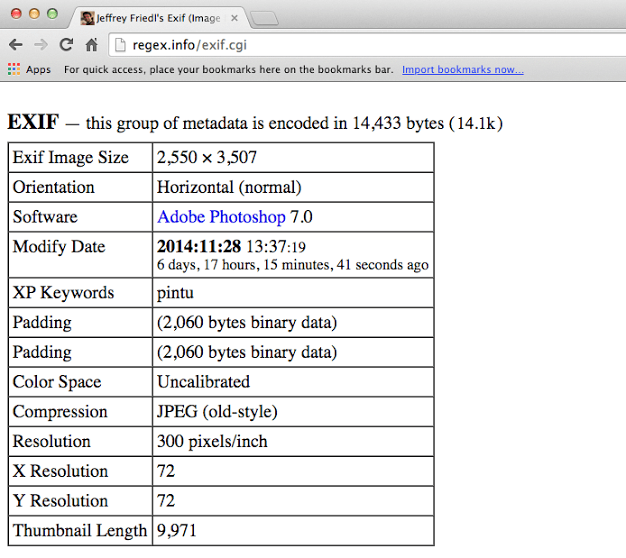
3. Look for the Shadow
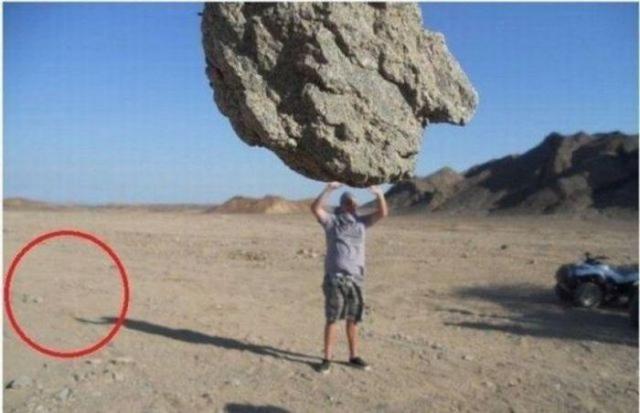
If the picture consists of some scenery or similar stuff then always look for the shadows and mismatched lights. Manipulating shadows is one of the hardest things even for a Photoshop expert. Often, Photoshop beginners are not able to create a perfect shadow and viewing angle. Thus leaving behind a blind spot to detect if the image is Photoshopped or not. Read: Top 5 Free Online Image Editor Like Photoshop