Flashcards are undoubtedly one of the best ways to memorize things. Being a student of English Literature and History, I often have to use this technique. And, yes, I don’t waste time and paper by writing flashcards. Instead, there are some cool flashcard apps out there. Recently, we had covered flashcard apps for Android and iPhone. This is the time for Mac.
While there aren’t many flashcard apps for Mac, the available ones are quite diverse. Most of them are offline apps while we have included some online services as well. We will take you through the different aspects of these tools so that you can get the best flashcard app for your needs. Shall we begin?
Best Flashcard Apps for Mac
#1 Flashcard Hero
Flashcard Hero is a freemium flashcard app for Mac. The full version comes with a price tag. However, you’d always find the Lite version helpful. We have been testing the Lite version for the review since Paid features are somewhat additional.
- User Interface
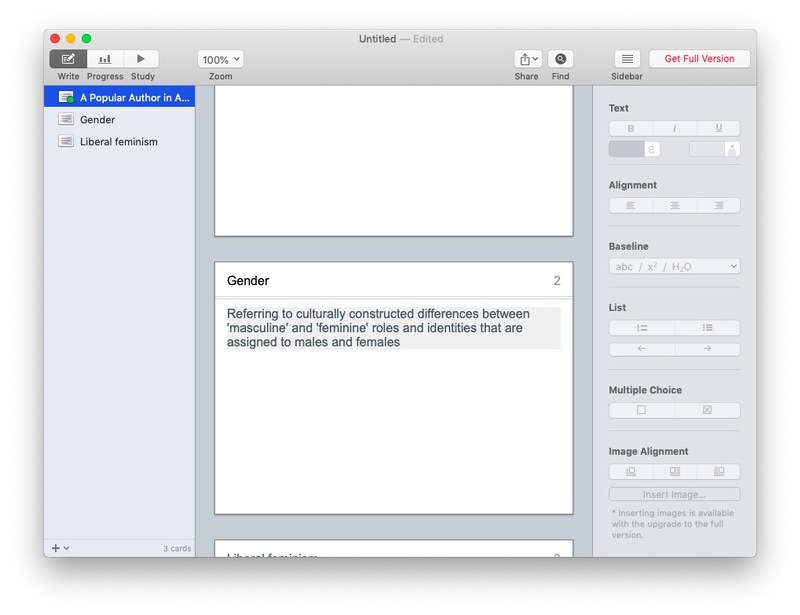
Flashcard Hero has one of the simplified UIs we’ve seen. You can create cards, study them and track progress from the same window. There is an option to customize the UI according to your needs. For instance, it lets you disable the Sidebar for a seamless experience.
- Workflow & Studying
It has a smooth workflow for creating and studying flashcards. Right when you open Flashcard Hero, you can find the option for creating the first flashcard. Just fill in the question and answer — tada, you’re done. For each subject, you can create an individual deck. In the full version, Flashcard Hero lets you store 1000 cards per deck.
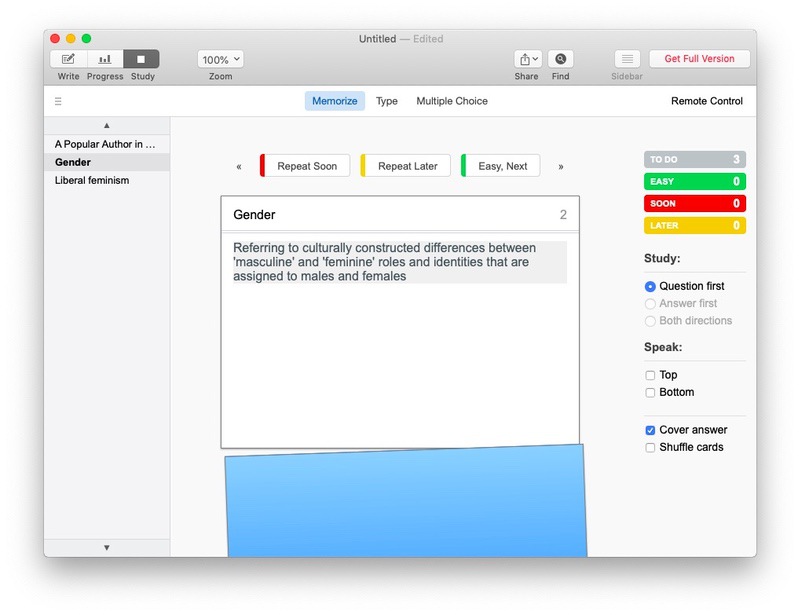
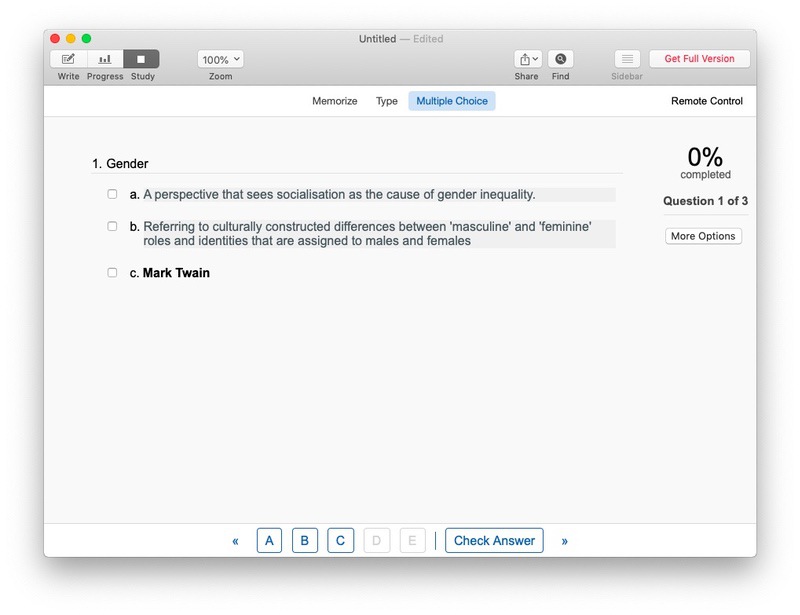
Flashcard Hero offers different modes to study as well. You can use the same flashcard for memorizing the content, type in the answer or select from Multiple Choices. This will prevent you from getting bored in the long run. Some of these modes have audio content support as well. It means you can use Flashcard Hero for studying almost everything.
- Progress Tracking
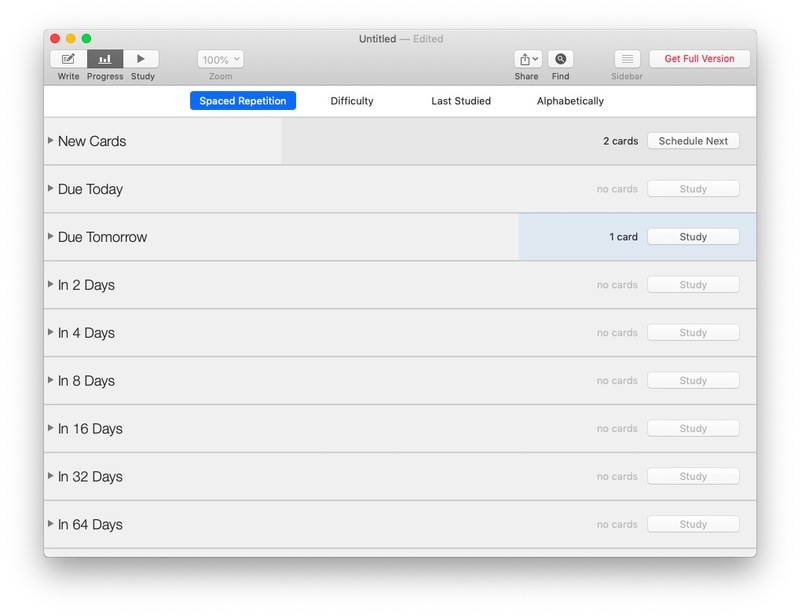
This freemium tool does not disappoint when it comes to progress tracking. Did we say that it has support for Spaced Repetition? Thanks to this, you can track your learning progress based on cards. If you mark cards as difficult, Flashcard Hero will bring them again for thorough learning. Altogether, we loved how Flashcard Hero helps you keep all your resources together.
- Other Features
Apart from the basic flashcard making and studying, Flashcard Hero does not offer much. However, we loved its option for Remote Control. You can use your iPhone as the remote for changing and flipping flashcards on your Mac screen. Rich content support is also worth noting.
- Pricing and Availability
As said, this app has two versions — Flashcard Hero and Flashcard Hero Lite. The full version costs $7.99. Its free version is somewhat limited. For instance, you can store a maximum of 20 cards in a deck. It also lacks Search, Image Support, iCloud Integration, Flashcard Download, and Sync feature. We think the free version would be enough for most students.
Pros
- Simple Design
- Ample Customization
- Minimal Footprint
- Multiple Study Modes
Cons
- Does not allow Flashcard downloads
- Free Version is limited
Who Is It For
Flashcard Hero Lite is the best option if you are looking for an effective flashcard app for Mac. While it does not offer tons of feature, you will love using and studying with this app. It’s indeed great that you don’t have to pay anything for storing up to 20 cards per deck and having such an awesome User Interface.
#2 AnkiApp
AnkiApp for Mac is a completely free flashcard app. But, the best part about AnkiApp is its collection of features. We’ve loved most part of the tool.
- User Interface
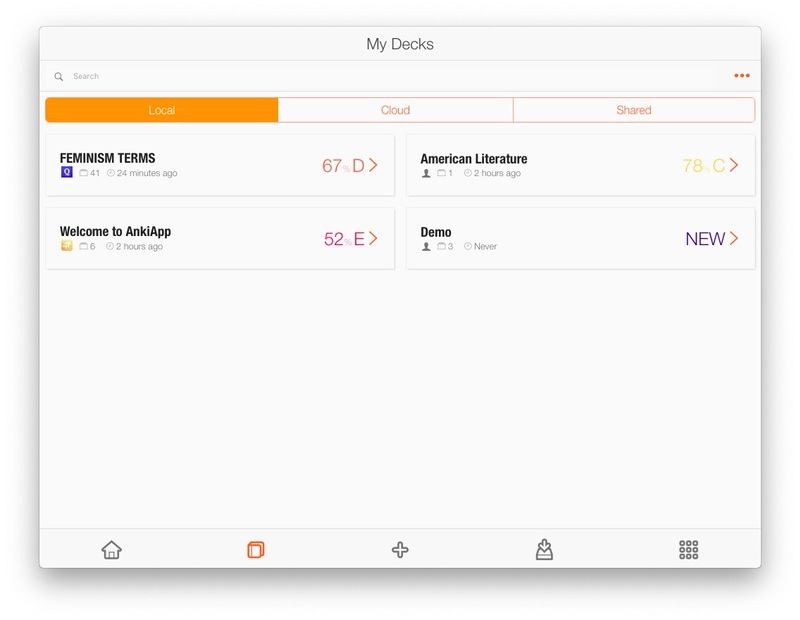
AnkiApp has a funky User Interface. Not everyone may like it, but it gets things done. You may also need some time to get used to the UI. However, unlike Flashcard Hero, AnkiApp lets you change the color scheme and customize the Studying interface.
- Workflow & Studying
You can start creating flashcards by clicking the + button. Just provide the name and description and you can start adding cards. We really liked the workflow here. You can keep adding cards back to back, thanks to the common keyboard shortcuts like Enter and Cmd+S. You can also make use of the formatting tools as well as Rich Content Creation. Once you’re done, go back to see the Deck.
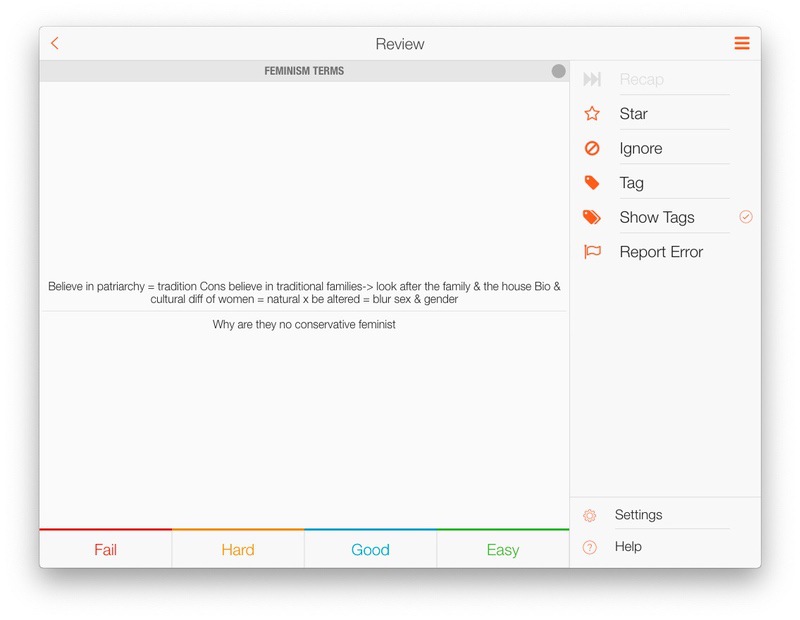
The studying interface is pretty minimal too. When you hit the Review button, the show starts and you have to press the ‘Flip’ button to find answers to the questions. The whole process is pretty straightforward. We also missed the different studying modes here, AnkiApp is not at least putting restrictions. It has, however, multiple answer responses based on difficulty.
- Progress Tracking
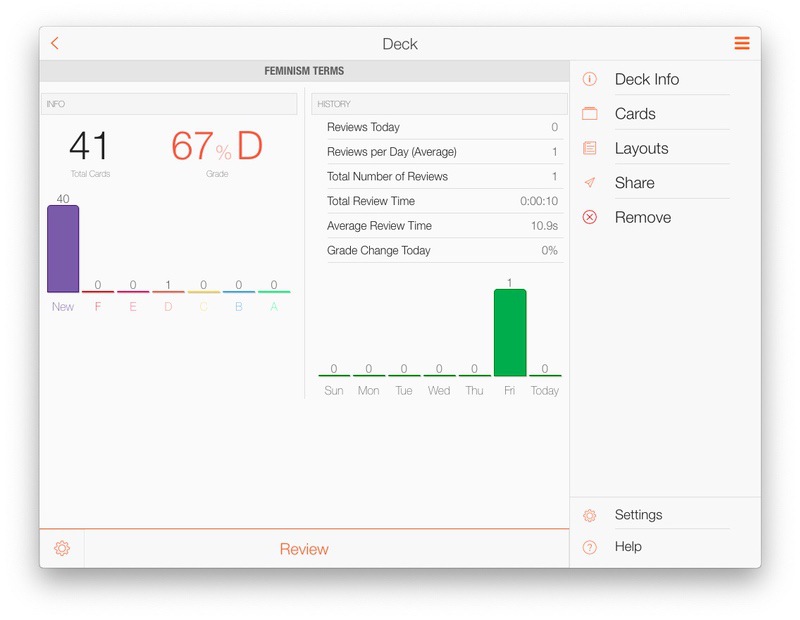
AnkiApp is not the best when it comes to progress tracking. You have a minimal view on your progress with the percentage of cards you’ve mastered. Since AnkiApp follows a four-scale grading system, the data can be a bit more complex. It also gives you a quick idea about where you are standing on different topics. That is, if you are weak in a specific area, you will know.
- Other Features
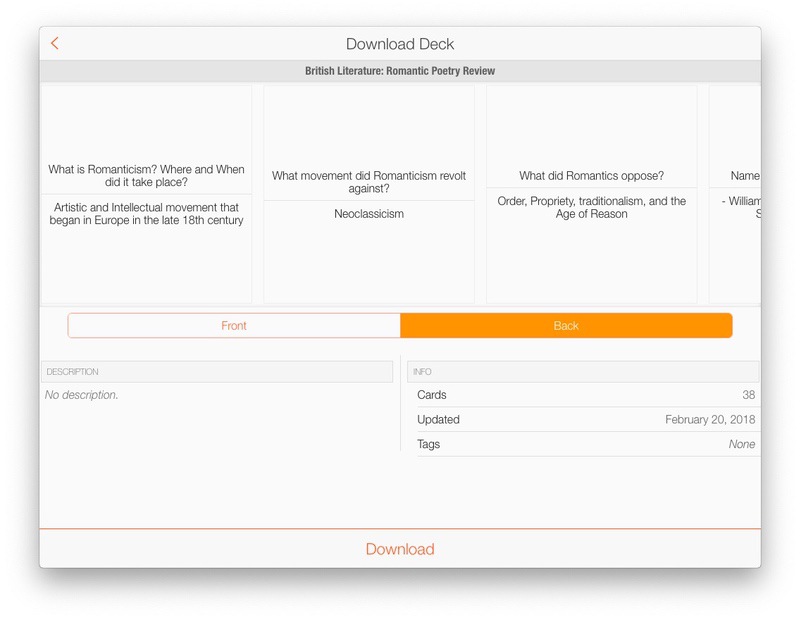
The best feature in AnkiApp is the ability to download pre-set flashcards from platforms like Quizlet. This is pretty great when you are studying a popular topic. You can bring in some cards and add some other on your own as well. There is also an option to import flashcards from Spreadsheets and TSV files. If you are familiar with HTML, there is a way for more customization.
- Pricing and Availability
As we said, AnkiApp is completely free to use. There aren’t any limitations as to the number of cards you can store per deck. Despite the lack of a price tag, AnkiApp is offering standard support and Knowledge Base as well. Other versions of AnkiApp, for iOS, Android and Windows, are also free.
Pros
- Completely free
- Cloud Sync and Access
- Ability to download flashcards from Quizlet
Cons
- A more Professional UI could have been better
Who Is It For
Are you looking for a completely free flashcards app for Mac? AnkiApp would be a great option for you. It is offering a lot of features like Quizlet integration and cloud sync. We haven’t found those many features in a lot of apps. However, the UI could have been better.
Check Out AnkiApp
#3 Studies
Studies is probably the most popular flashcard app for Mac, iPhone, and iPad. It has been designed as a full guide for your studies and not just memorization. Personally, I have used Studies for a long period of time, especially for exams.
- User Interface
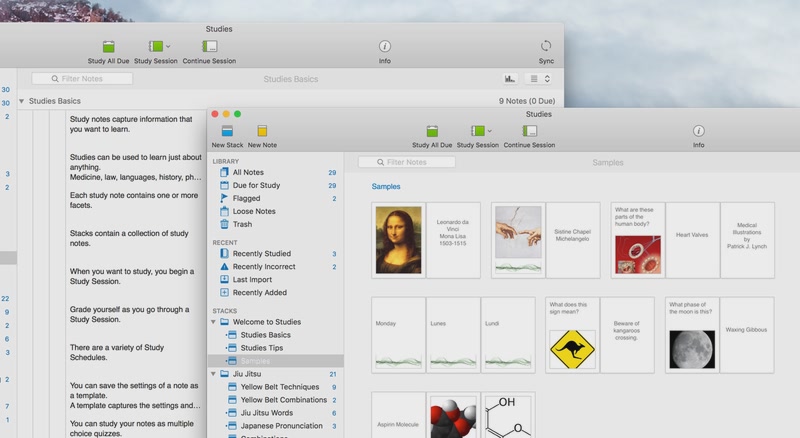
The User Interface of the Studies app brings the best of both worlds. It has retained the professional looks but you won’t have to spend hours to master it. I would not say that the User Interface is ultra-simple or so intuitive. On the other hand, you would not have trouble getting started with decks, notes and studying methods that suit you.
- Workflow & Studying
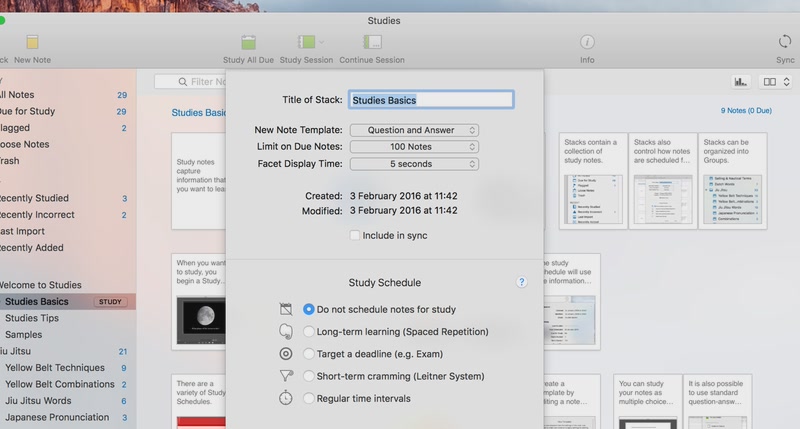
Thanks to the professional UI, it’s really easy to make flashcards using Studies. Instead of decks, this app uses a term ‘Stack’ for referring to a collection. You can have as many cards as you want in a collection. Studies is also letting you create cards from templates like Question and Answer, Multiple Choice, Translation or just a Simple Note.
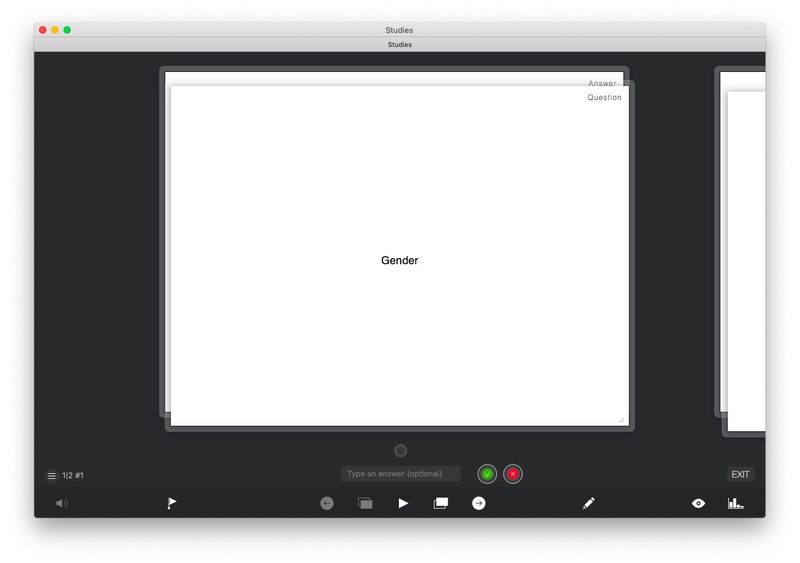
Probably the best part about Studies is the studying interface itself. It’s like a PowerPoint presentation since you have almost complete control. You can move between cards and faucets using keyboard shortcuts. It’s also having an effective way for grading, which goes like clockwork. Multiple Viewing modes also make this one of the most impressive flashcard apps out there.
- Progress Tracking
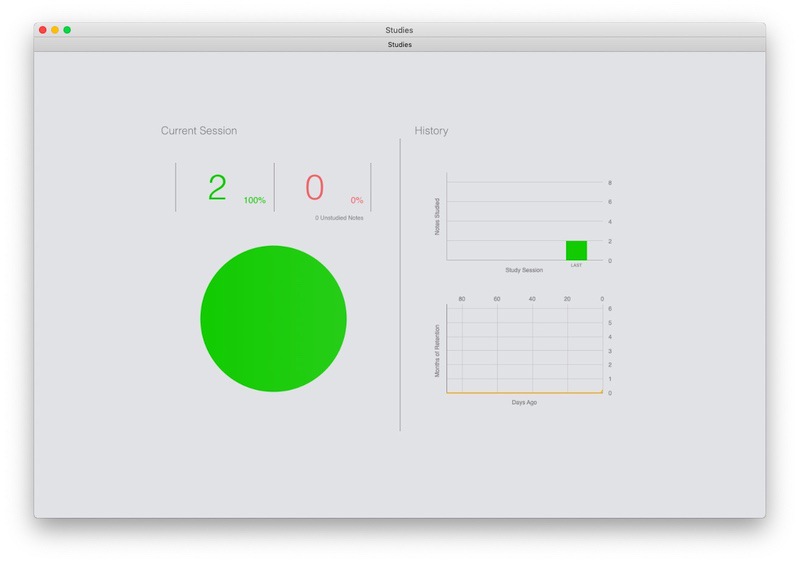
Compared to other flashcard apps for Mac, Studies has an advanced set of options for tracking your progress on the way. The point, however, is that you should select the learning method while making a stack. It offers options like Space Repetition, Long-Term Learning etc. And, when you are studying, you can click on a simple icon to know where you are standing.
- Additional Features
Of course, you can expect all the standard features like iCloud Sync, Templates and Flashcard sharing. It also offers features for Importing and Exporting flashcards. You can import the desired notes from Quizlet for instance. It also offers ample options for session management. Studies is also the one app that allows you to have multiple facets for a card.
- Pricing & Availability
Studies is available for Mac, iPhone, and iPad. The iOS version is completely free to use, but you have to pay $29.99 for the Mac version. Considering that you are getting so many features and a productive interface, we think the price is okay. Studies is also offering a 14-day free trial program, which is not limited. If you don’t like it, you can always leave it after two weeks.
Pros
- Professional interface
- Easy management of stacks and cards
- Import/Export Options
- Detailed Study interface
Cons
- Lacks better Grading options
- UI isn’t that Intuitive
Who Is It For
Studies is probably for the hardcore learners out there. It’s the best option when you have hundreds of decks and thousands of cards. While it offers the best performance, Studies does not eat up many resources either. At the end of the day, we’d recommend Studies if you are ready to shell out $29.99.
#4 Quizlet
First things first, Quizlet is not a native macOS app. It’s rather a powerful web service. However, you can still convert it into a macOS web app using service like Desktop Appmaker.
- User Interface
I’d say that User Interface of Quizlet is pretty cool. Of course, everything is happening on the web browser and you just need a free Quizlet account to access them all. It has multiple options of study and these can be quite helpful in the studying process. Altogether, we thought the UI was pretty simple when it comes to the creation and management of flashcards.
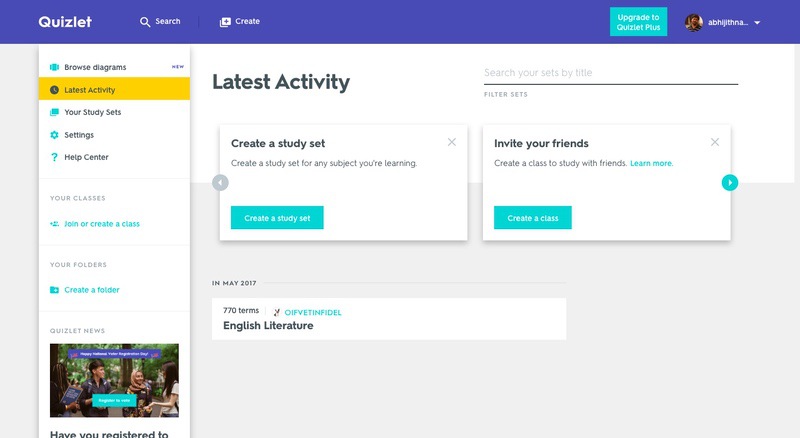
- Workflow & Studying
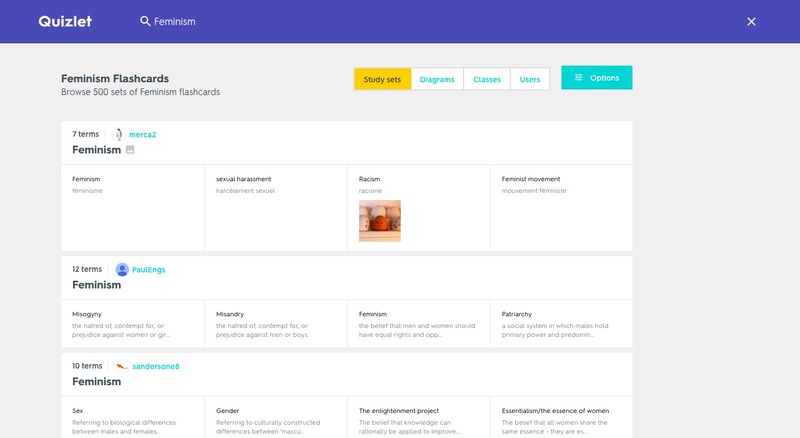
There are two major ways you can use Quizlet for flashcard-based studying. First, you can explore more than 271 Million flashcards on various topics. These are made by teachers and students alike. In case you don’t find them useful, you can create one on your own. It’s really fun to create the lists here. When you have to write the second part of the card, Quizlet even suggests things from the web.
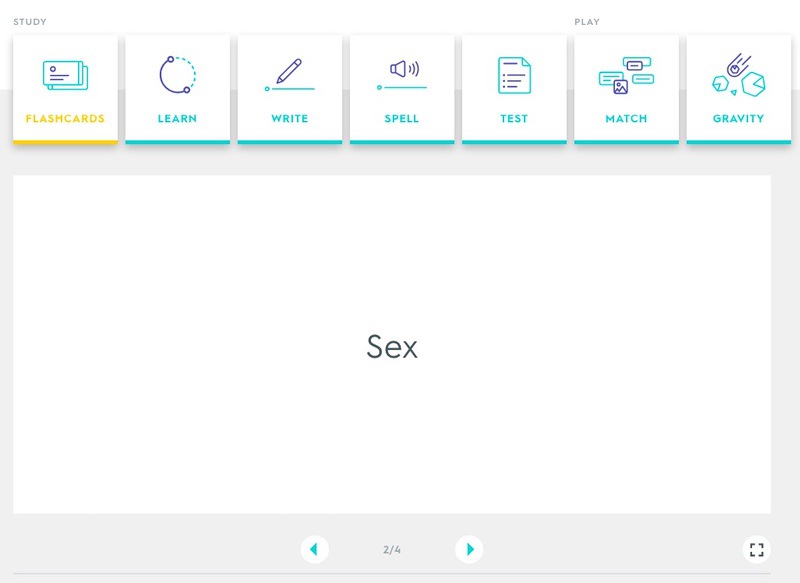
Once you have created the flashcard deck, Quizlet lets you start studying instantly. Instead of letting you just take some tests, Quizlet also lets you learn things in an effective way. Once you have studied, you can test the knowledge via MCQ tests, answer tests and match-the-options. Because it has strong options for tracking progress, you wouldn’t miss anything.
- Progress Tracking
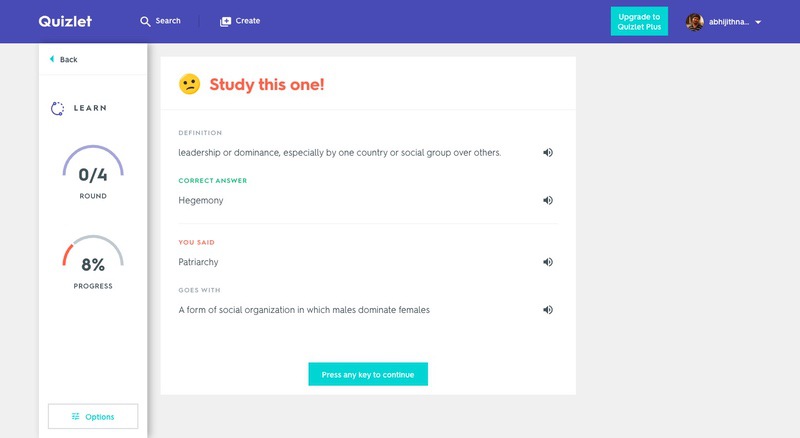
Quizlet has all the benefits of being a web app and it stays in the progress tracking. You have almost complete control over your progress while studying or testing. Based on various algorithms, Quizlet can suggest what you should focus more on and what you have missed so far. We aren’t seeing any complex diagrams or other stuff, but things are fine.
- Additional Features
The best part about Quizlet is the wide availability. You can have all your flashcards on the cloud and even available on your Android, iOS and any other web browser. It also has options for collaboration and sharing the flashcards you have made. It even has some options for making you familiar with the words, where the tool will pronounce a word and you have to type it.
- Pricing and Availability
Quizlet is completely free to use and you have access to the 271 Million flashcards. Of course, except for the private decks out there. There aren’t any fees, but you can have advanced features and ad-free interface by paying $19.99 per year.
Pros
- Web app, multi-platform availability
- More than 271 Million flashcard decks
- Easy UI
Cons
- Not a native app
Who Is It For
If you think you can go on without a native Mac app, Quizlet is the best option. It does not compromise a lot features even it’s a simple web application. On the other hand, you have better options for collaboration as well as the sharing of notes. We’d recommend Quizlet to people who need the best results on the go.
The Bottom Line
So, we have not just listed but compared four of the best flashcard apps for Mac. Of course, one of them is web-based but it does not compromise the purpose. If you ask me, Flashcard Hero would be our go-to option for common needs. On the other hand, for larger projects and long-time learning, I’d always recommend the Studies app, despite the price tag. That having said, we think you’ll like AnkiApp if you need a funky UI that is good for eyes. There are few other that we didn’t include in the list as they were new like Memcards, but if we see any update in future, we might update it.
