Published: September 8, 2026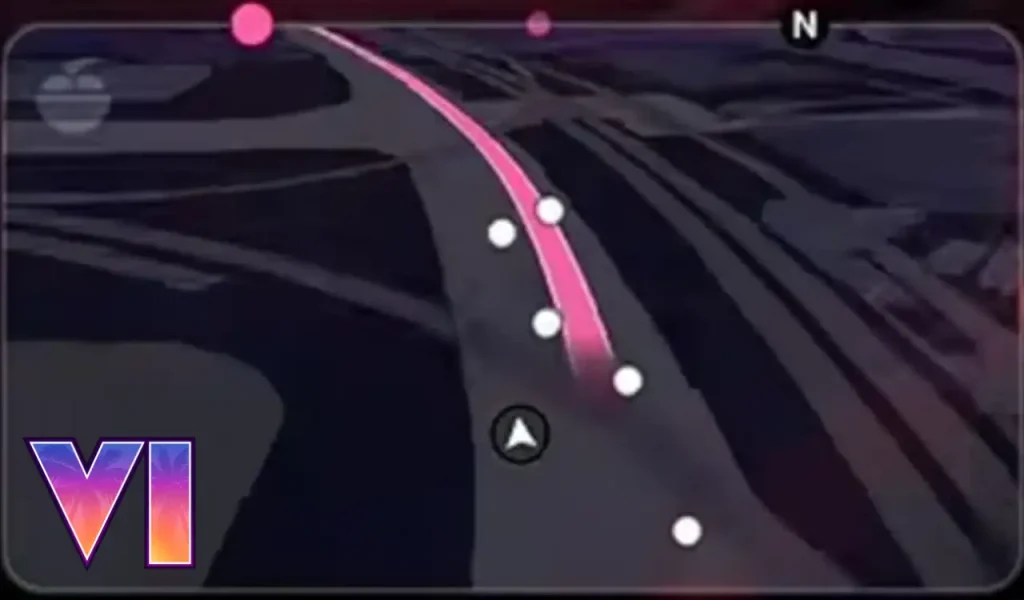

The GTA 6 mini-map takes a very different approach from previous Grand Theft Auto games. Instead of constantly feeding you every piece of information, it appears designed to keep your attention on the world around you. We can already see this from the Extended Look. From the new GPS system to 3D structures and customizable HUD options, there is a lot happening with this small part of the screen. Some of the changes may even completely change how you handle police chases and explore Vice City.
GTA 6 Mini-Map Uses an iFruit GPS
The mini-map works like an in-game GPS and even displays the iFruit logo, making the navigation system feel similar to Apple Maps or Apple CarPlay.
Its appearance also changes depending on the time of day and environment. Gameplay footage has shown both light and dark versions, with the dark version looking closer to GTA 5's map. However, the new GTA 6 design uses a rectangular layout and does not place the health and armor display around it.


By default, the mini-map does not always remain on your screen while walking. It normally appears when driving or when you have a waypoint active. You can switch to a Classic mode if you want it displayed permanently.
From what content creators like TGG or Rubius shared, if you prefer a cleaner screen, GTA 6 also gives you several options. You can move the mini-map to the left or right side, replace it with a compass, or turn it off completely.
Also Read:
GTA 6 Mini-Map Also Shows Buildings in 3D
One of the most interesting changes is the amount of detail shown on the map itself. Buildings appear in 3D, and entrances can become visible as you get closer. This could make finding accessible locations much easier without filling the screen with icons.
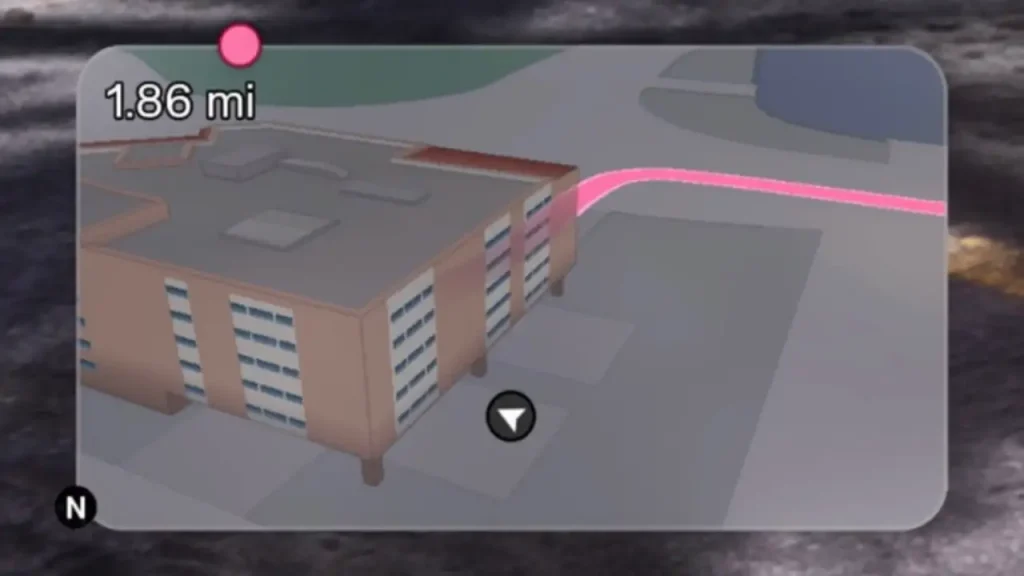
It is also not limited to safehouses or major buildings. Smaller structures, toll plazas, and wooden buildings with stairs have also been spotted on the map. In my opinion, this is a much better solution than covering every location with a symbol.
Police and Enemies No Longer Appear on the Map
The map in GTA 6 does not show exact enemy or police positions. Instead, police chases highlight the general search or heat area while the map flashes red and blue.


This will definitely make navigation way harder during intense chases because the strong colors can reduce visibility. When point-to-point navigation is active, however, you can still follow the pink route line.
The goal seems clear, and this is also confirmed by Rob Nelson, the current head of development at Rockstar North, that the developer does not want you to keep on staring at the mini-map during every chase.
GTA 6 Waypoints and Partner Indicators
You can set a quick waypoint without opening the full map. Open the quick selection with the D-pad, choose a location, then press R3 to place the waypoint. Story waypoints are pink, while custom waypoints use a bright cyan color.
Allies can still appear on the map in cyan or pink, while competitors during races can appear as white dots. When Jason and Lucia are together, the other playable character may also appear as a green dot, although this seems to depend on the mission or activity.


Why the New GTA 6 Mini-Map Could Be Better
The biggest difference is Rockstar's apparent effort to make you look at Vice City instead of a tiny map. In GTA 5, it was easy to spend an entire drive watching the road layout and police icons instead of the actual world.


GTA 6's cleaner approach forces you to pay more attention to your surroundings and make more decisions yourself. The game also appears less interested in guiding you to every objective with endless icons and blips.
Also Read:
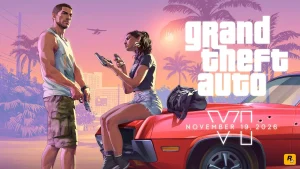
So, the map feels less like a screen full of information and more like an actual navigation tool. It may take some getting used to, especially during police chases, but it could make exploring the world feel much more natural. Do you think you will like the new map system when the game releases on November 19th, 2026?
Check the countdown timer to see how many days you have left until you can finally play as Jason or Lucia. And if you want to know more information about the game, you can always visit our GTA 6 Wiki.