Published: September 14, 2026

Command an Army is a Roblox game where you build and lead your own army into large-scale battles against other players. You summon units, upgrade and evolve them, ride horses across the battlefield, and fight over capture points to earn rewards and progress. The game has a lot of systems to understand, but once you grasp the basics, it becomes much easier to build a strong army and win consistently. Here is your Command an Army beginner's guide to get started with the game.
Complete the Tutorial First
The tutorial covers all the essential controls, including how to command your troops, attack enemies, hold positions, rush retreating players, spawn units, destroy gates, and capture objectives. One of the most useful controls you will learn here is C, which makes your entire army follow you. Use this whenever you need to reposition your whole force rather than leaving units scattered across the map. After the Command an Army tutorial, you will receive your first starter troops, so do not stress too much about picking the perfect ones since you will unlock far better options later.
Troops Controls and Keyboard Shortcuts
| Action | Keybind |
|---|---|
| Hold | X |
| Follow | C |
| Attack | V |
| Rush | B |
Class Controls and Keyboard Shortcuts
| Action | Keybind |
|---|---|
| Attack | Left Mouse Click |
| Block | F |
| Roll | Q |
| Heal | H |
| Mount | G |
How to Get Gems
Gems are the main currency of Command an Army for summoning new units, and you need them consistently throughout the game. The best ways to earn gems in Command an Army are completing your daily and weekly quests, which reward both XP and gems, and performing well in battles by killing enemies and capturing objectives.
The higher your score at the end of a battle, the more gems you receive, so staying active and fighting throughout the match matters significantly. AFKing will earn you almost nothing. Also, claim the free rewards by joining the developer group, liking the game, and favouriting it to get 400 gems right at the start. You can also redeem Command an Army codes.

Understanding Troop Counters
This is the most important system to understand as a beginner playing Command an Army, and the game does not explain it clearly. Every unit type has strengths and weaknesses against other unit types. The general counter system works as follows:
| Unit Type | Countered By |
|---|---|
| Shields | Hammers and units with Block Damage |
| Spearmen | Cavalry |
| Cavalry | Spearmen and Halberds |
| Archers | Cavalry |
To check if a unit can counter shields, look for the Block Damage stat on its card. Units with Block Damage can break through shielded enemies effectively.
Best Beginner Units
You do not need rare units to be competitive as a beginner in Command an Army. These lower star units are worth investing in because they have strong evolution paths:
- Archer is a one-star unit that eventually evolves into the three-star Flame Archer, which is one of the strongest ranged units in the game. Start building your archer investment early.
- Shieldman is a one-star unit that evolves into the three-star Imperial Wall, with solid defensive stats making it a reliable frontline option.
- Halberder is a two-star unit that evolves to three stars and is considered one of the best spirit-type units in the game for countering cavalry.
- Scout Rider is a lower-star cavalry unit that can eventually evolve all the way into a four-star Lancer, which is one of the most powerful units available.
- Samurai is the best four-star default unit to aim for early on. It counters shields extremely effectively, which is critical since defenders love stacking shield units on capture points.
Ascension and Evolution Guide
Do not throw away duplicate units while playing Command an Army. They are essential for two of the most important progression systems in the game.
Ascension works by combining two identical units to create an ascended version. Two base Archers become Archer Ascension 1, two Ascension 1 units become Ascension 2, and so on up to Ascension 3 which is the maximum. Always ascend before selling extras.
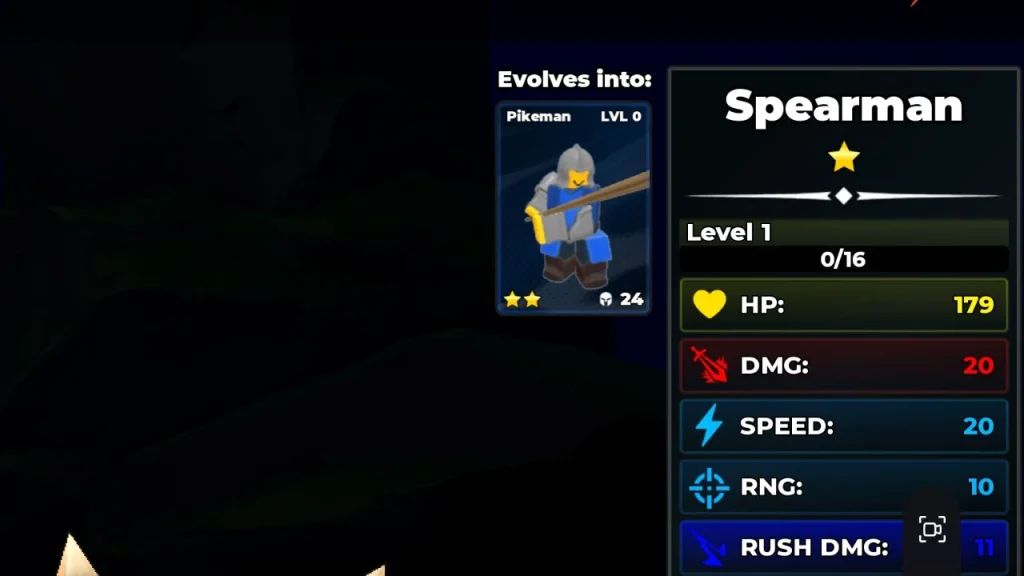
Evolution allows units to grow from one star to two, three, or even four stars. Units must reach level 20 before they can evolve, and levelling requires using them in actual battles. Not every unit has an evolution path, so check before investing heavily. Spartan and Mace, for example, cannot evolve.
How to Build Your Army
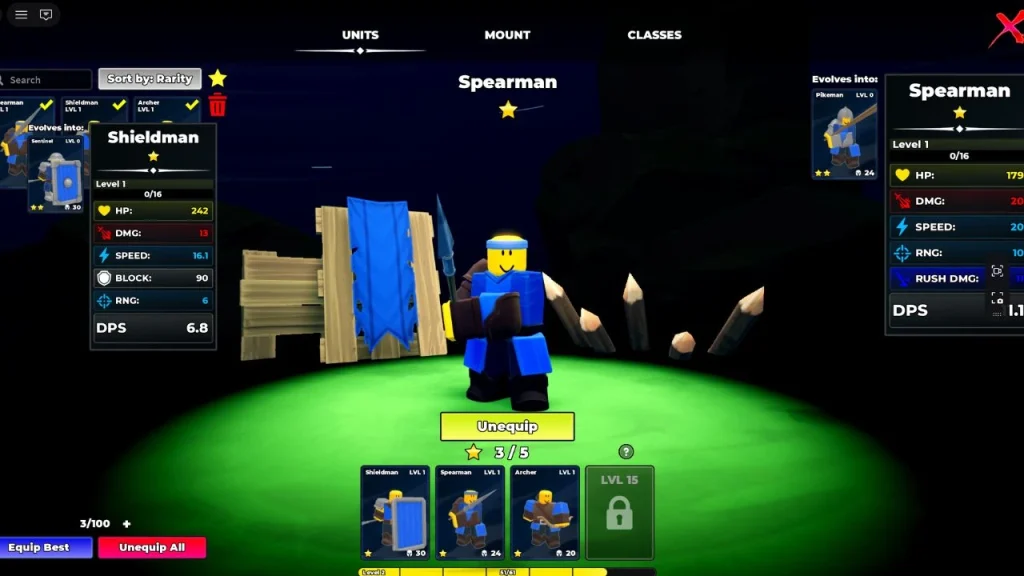
If you are playing solo, your lineup should cover all four unit types to handle whatever the enemy brings. A solid beginner composition includes one shield unit for the frontline, one anti-cavalry or anti-shield unit, one archer for ranged support, and one cavalry unit for speed and flanking.
FAQs
Complete your daily and weekly quests every session and actively fight in battles rather than AFKing.
Archer, Shieldman, Halberder, and Scout Rider are the strongest beginner units because all of them have powerful evolution paths that scale into the late game.
Combine two identical units to create an Ascension 1 version of that unit.