
 Published: May 29, 2019

Best Free Apps for iPad Pro in 2019
1. File manager: Documents by Readdle
Since the iPad Pro has a large number of uses, you'll have a lot of files on board. Managing files with the native 'Files' app is a bit challenging and the app limits to document management mostly. Documents by Readdle, on the contrary, is a complete management app that lets you manage both, your media and documents. Read: Best File Manager For iPad Pro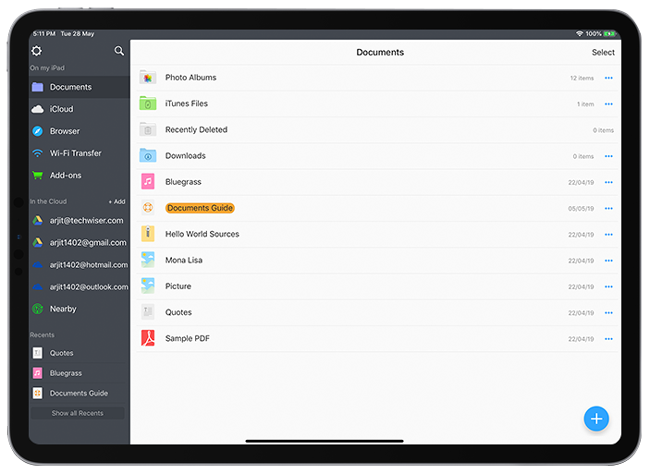 Features:
- File transfer and management
- Wi-Fi file transfer support
- Multiple cloud account support
- In-built browser to save web pages
- Face ID support
2. Note making: Microsoft OneNote
Apple devices come with the native 'Notes' app which is good enough to even compete with some paid apps. But the fact that the options are limited and scattered around different menus, makes way for other apps. OneNote is one such app which fulfills all basic requirements of the note taking app. Features:
- Create a notebook, section, and pages.
- Supports both typing and hand-written notes
- Offers multi-color pens, highlighter, lasso tool, and auto-shape
- Supports multiple page formats
- Auto cloud sync to view notes on any device
- Supports Face ID
3. PDF editor: Foxit PDF
I tried tons of PDF editors for iPad both paid and free and yet I end up using Foxit PDF quite often. The app does have a paid version with more editing tools. But many paid apps fail to offer what Foxit PDF offers in the free version and of course the intuitive interface that allows quick editing. Features:
- Annotations, stamps, and signatures
- Apple Pencil support
- Multiple page-view options
- Add or delete pages in a PDF
- Supports dark mode and color options for pages
4. Photo Editor: Photoshop Express
No, Lightroom is not on my list. Adobe Lightroom is a go-to app for many photographers because of its quick presets and intuitive interface. But, Adobe Photoshop Express offers more than just presets and lighting settings and is absolutely free. To my surprise, Photoshop Express had features like layers and object masking. Features:
- Basic editing tools like themes, HSL, and lighting
- Preset crop options for social media uploads
- Collage and frame options
- Compose and export PSD projects
- Layers and masking support
- Integration with other photoshop apps
5. Browser: DuckDuckGo
Safari is a decent browser. But whenever I think of safe browsing I switch to DuckDuckGo. The app is optimized for iPad and offers great security features, both online and offline. Features:
- Supports Face ID to lock the app
- Dark mode support
- One-touch kill switch to wipe browser
- No data sharing with advertising networks
- Encrypted and private searches
- Website security ranking on browser tabs
6. Sketching: Paper
I would have recommended Adobe Sketch but I feel its more for a pro user and since I'm not one, my choice for this title is Paper by Wetransfer. Yeah, at first even I couldn't associate WeTransfer with sketching and drawing, but to my surprise, it turned out to be pretty easy and upfront. Features:
- Tools like brushes, pens, pencil, and fading brush
- Paint tempalates
- On-screen color pellet
- Add images from local memory or camera
- Add a blank canvas to paint on
7. Video Editor: iMovie
I know it's not new to you and you might be already using it. I was thinking of a third-party app but when I consulted one of the video editors on my team, he suggested iMovie. What can I say, he's a pro. So I checked out the app and it does have some remarkable options. Features:
- Supports guided editing and manual editing
- Movie and trailer support
- Guided presets
- Manual edits with crop, crossfade, audio input, etc.
8. Email: Edison Mail
Do you really need a third-party email app on your iPad? Of course, you do, when the app offers you password protection and that too for free. Edison mail can replace all email apps you have ever used on your iOS devices. The app holds multiple email accounts under one roof and is extremely simple and quick to set up. Features:
- Supports Face ID
- Classify email into subscription, travel, bill, etc.
- Manage signatures
- Customizable swipe options
9. Games: Rainbrow
Oh stop expecting PUBG mobile everywhere, I have something more fun here on my list. Rainbrow is a game specific to iPad Pro and iPhone X series with true depth front camera. Yes, you guessed it right, you don't need a hand to play this game. The app captures your facial expressions to move the emoticon on the screen.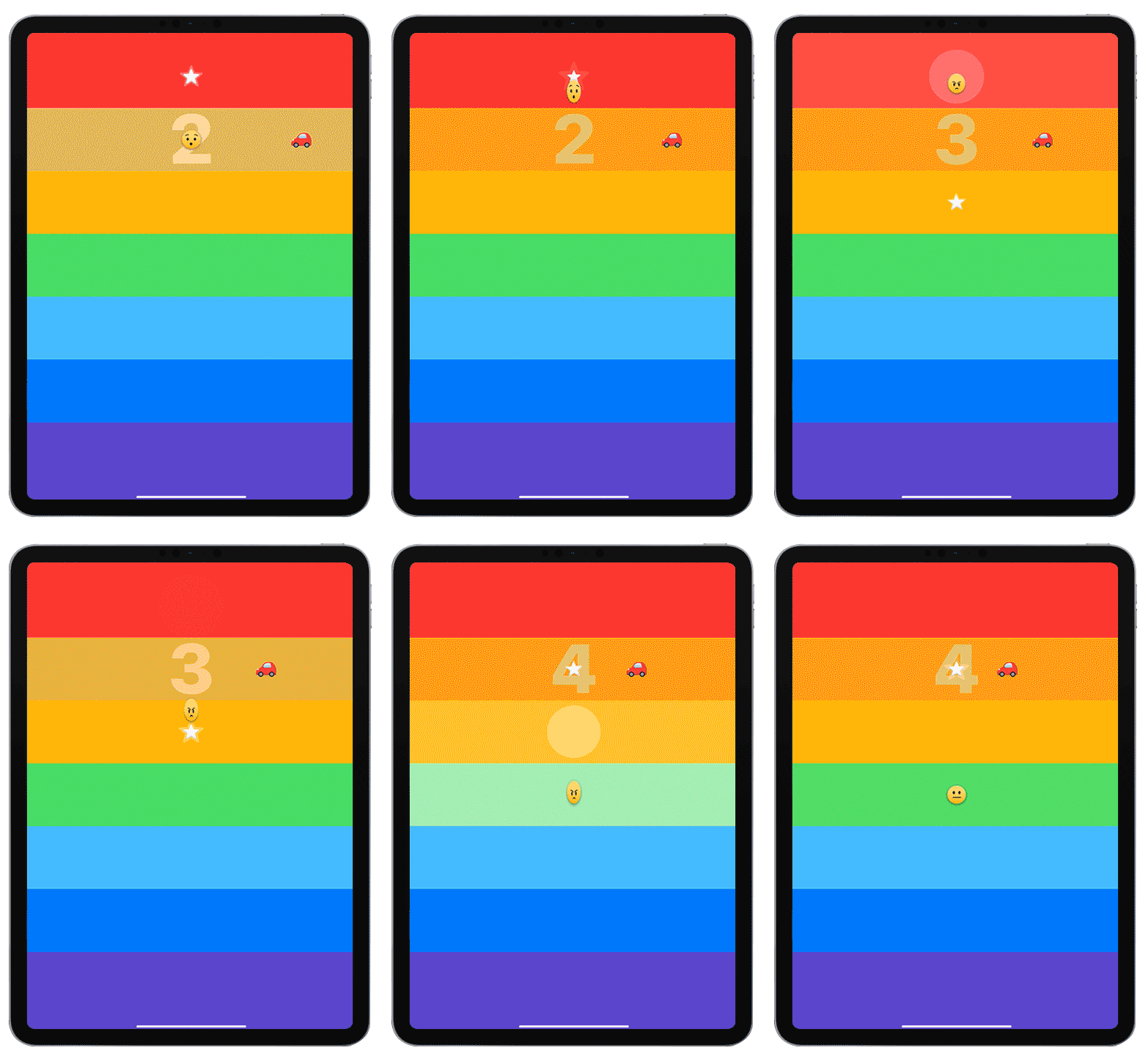 Features:
- Face control
10. Weather: AccuWeather
The weather has been taking a toll on us for a long time now and you don't want your plans spoiled by being unaware of the conditions outside. The reason I'm recommending a weather app on iPad Pro is that this device might be the only thing you carry at certain places because that's all you need and that's how powerful it is. Hence. Features:
- Both actual and RealFeel temperatures
- Special tab for precipitation forecast
- Hourly and daily forecast
- Weather condition alert on all devices


